Satellite TV vs Internet TV: Which Fits Your Home?
By View IPTV Editorial Team · · 7 min read
Short verdict first: if you have a steady internet connection and no dish-friendly roof, internet TV is usually the easier and cheaper fit. If your internet is weak or unreliable, satellite can still make sense. The rest of this page shows how to tell which side you are on.
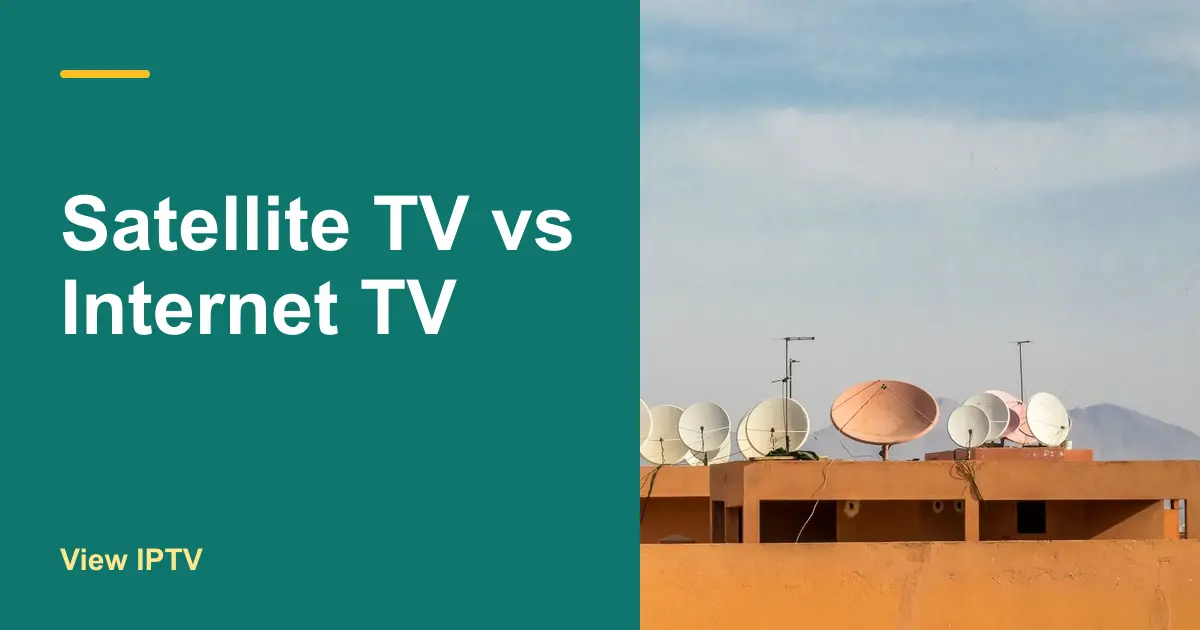
Satellite TV vs internet TV is not really a fight about channels. It is a choice between two delivery methods: a dish that points at the sky, or the broadband line you already pay for. Each has costs and limits that only show up after you sign, so we compare them one by one.
Satellite TV vs internet TV: the side-by-side view
Both give you live channels on your TV, but the way the signal arrives is very different. Satellite sends it from space to a dish on your property, then through a cable to a receiver. Internet TV sends it through the broadband line you already have to a stick, a box or a smart TV app. Everything else on this page follows from that one difference.
| Question | Satellite TV | Internet TV |
|---|---|---|
| How the signal arrives | Dish on your roof or wall | Your broadband connection |
| What you install | Dish, cables and a receiver | A stick, box or smart TV app |
| Typical commitment | Often a contract with an end date | Plans from 1 month to 12 months |
| Needs internet | No, for the TV signal | Yes, steady and fast enough |
| Weather sensitivity | Heavy rain or snow can interrupt | Mostly unaffected, unless the internet drops |
| Moving or travel | Tied to one address | Works wherever you have internet |
| Extra TVs | Usually need extra receivers | Often a device or an app per TV |
Where the money goes
Satellite pricing usually starts with a package rate, then adds equipment, extra receivers, taxes and fees. The advertised number is rarely the number on your statement. Our breakdown of cable TV cost per month shows the same pattern on a different kind of bill, and the lesson carries over: add up every line, not just the headline.
Internet TV works the other way around. You pay for the plan, and you already pay for the internet. On the pricing page, View IPTV lists 1 screen at $12.99 for 1 month, $29.99 for 3 months, $49.99 for 6 months and $64.99 for 12 months. Extra screens cost more, and 2 screens on the 12-month plan are $96.99.
| Cost line | Satellite today | Internet TV |
|---|---|---|
| Monthly package | From your bill | Plan price divided by months |
| Receiver or box fees | From your bill | None, or the price of a stick once |
| Extra TV fees | From your bill | Extra screen price |
| Taxes and fees | From your bill | Ask support what applies |
| Internet you must keep | Maybe not | Yes, so count it in both columns |
Contracts and cancellation
Satellite service is often sold with a term agreement, and ending it early can bring a fee. Equipment is also usually owned by the company, which means you have to return it. Before you decide, find your contract end date and read the return rules. Our guide to canceling cable without penalty walks through fee traps that apply to satellite accounts too.
Internet TV plans are prepaid, so you choose how long to commit. A short plan lets you test the service. A longer plan lowers the monthly equivalent. Nothing is attached to your address, so moving does not trigger a cancellation call.
Weather, signal and reliability
A dish needs an open view of the sky. Trees, new buildings and heavy rain or snow can all weaken the picture, sometimes just when you want to watch the news. Internet TV does not care about the weather at the dish, but it does depend on your home network.
The FCC's Broadband Speed Guide lists about 5 to 8 Mbps for one HD stream, so budget that amount for each TV that may play at the same time. If your internet drops during a storm or runs out at busy hours, internet TV will suffer, and a wired connection to the TV helps.
Pros: Satellite TV
- Works without broadband for the TV signal.
- Reaches rural spots where internet is weak.
- Familiar receiver and remote.
Cons
- Needs a dish with a clear view of the sky.
- Heavy weather can interrupt the picture.
- Often comes with a contract and returned equipment.
- Tied to one address.
Pros: Internet TV
- No dish, no roof work and no installer visit.
- Prepaid plans in several lengths.
- Travels with you to any home with internet.
- Uses a small device you can move between rooms.
Cons
- Needs steady broadband.
- Quality drops if the home network is weak.
- Local stations may need an antenna.
Which one fits your situation?
| Your situation | Better fit | Why |
|---|---|---|
| Reliable internet, flexible about contracts | Internet TV | No dish and shorter commitments |
| Rural home with weak internet | Satellite, for now | The dish does not depend on your line |
| Renting or living under HOA rules | Internet TV | Nothing to mount outdoors |
| Second home or RV | Internet TV | Moves with you where there is internet |
| Several TVs in the house | Internet TV | Add a device per room |
| Want local news and weather | Antenna plus either | Local stations come over the air |
Renters should read TV for renters without cable before signing anything, because many leases limit what you can attach to the building. If you already decided to drop the dish, how to watch TV without a satellite dish covers the four replacement options and the switch itself.
Try internet TV before you cancel satellite
- 1
Find your contract end date
Check your account or last bill. Write down the date, the cancellation rules and what the company wants back.
- 2
Test your internet at the TV
Run a speed test from the room where you watch. Aim for the speed that covers all TVs playing at once.
- 3
Request a trial
Ask View IPTV for a free trial on WhatsApp and run it beside your satellite for a few evenings.
- 4
Set up the device
Follow the Smart TV guide or the Fire TV Stick guide. Both take only a few minutes.
- 5
Cancel only when you are sure
Keep satellite active until the trial passes. Then cancel and return the equipment on time.
Quick decision checklist
Satellite or internet TV?
- I know my contract end date and cancellation rules.
- I copied every charge from my satellite bill.
- I tested my internet speed at the TV.
- I know how many TVs play at the same time.
- I checked whether I can install a dish where I live.
- I plan an antenna for local stations if I want them.
- I ran a trial before I canceled.
If you also compare internet TV with a wired provider, see IPTV vs cable TV. Short answers about trials, devices and refunds are on the FAQ page.
Conclusion: choose the signal you can rely on
Satellite TV vs internet TV is a practical choice. Satellite fits places where internet is weak, while internet TV fits homes with solid broadband, short commitments and no wish to mount a dish. Write down your costs, test your connection and run a trial. The numbers will usually settle the question for you.
Ready to see how it looks on your own TV? Request a free trial from View IPTV on WhatsApp.
Frequently asked questions
Is internet TV better than satellite TV?
It depends on your home. Internet TV is usually easier to set up and move, and it needs no dish. Satellite can be the better fit in places with weak internet. Compare your own bill and your connection before you choose.
Does satellite TV work without internet?
Yes, the TV signal itself arrives from the dish and does not need broadband. Internet TV is the opposite: it needs a steady connection to play.
How much internet speed do I need to replace satellite TV?
A common guide is about 5 to 8 Mbps for each HD stream playing at once. Add up the TVs you use at the same time and test the speed in the room where you watch.
Can I switch from satellite to internet TV without losing service?
Yes. Keep satellite active while you test the new service for a week or two, then cancel and return the equipment. That way you never have a gap.
Share this article
WhatsApp