How to Watch TV Without a Satellite Dish: 4 Options
By View IPTV Editorial Team · · 7 min read
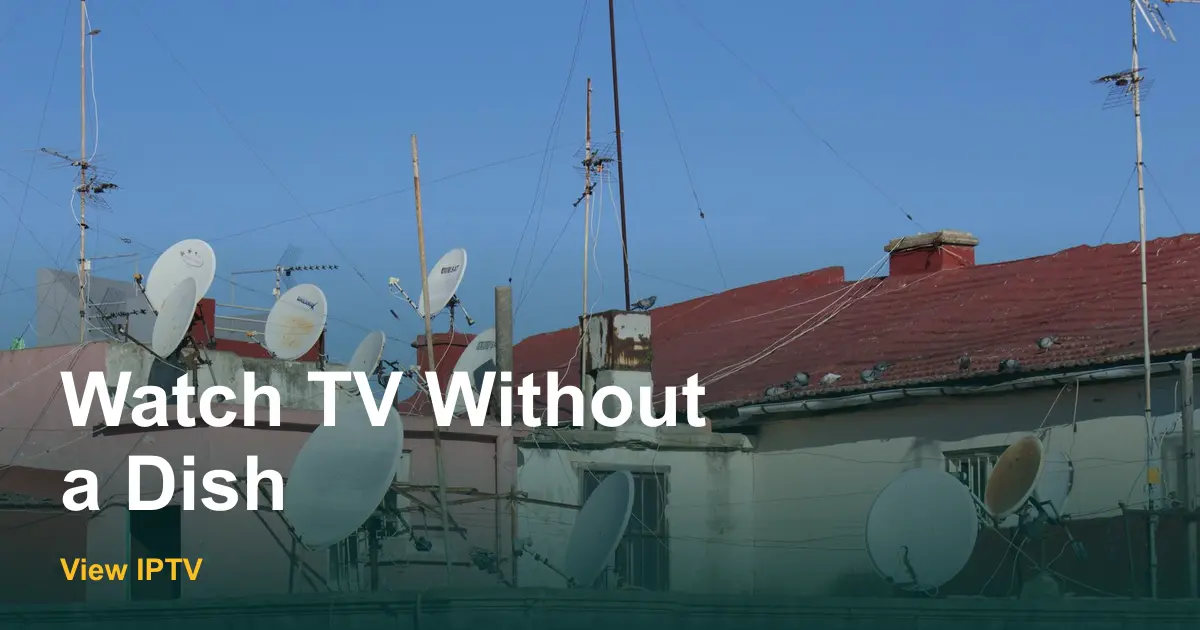
The letter from the property manager is polite but clear: the dish on the balcony rail has to come down before the lease renews. Or maybe the dish is on your own roof, and a storm just knocked it out of line for the third time this year.
Either way, the question is the same: how to watch TV without a satellite dish. The good news is that your TV does not care how the picture arrives. This guide compares four dish-free options, shows what each one needs, and gives you a five-step plan so the screen never goes dark while you switch.
How to watch TV without a satellite dish: the four options
A satellite dish catches a signal from space and sends it down a wire to a receiver box. Every dish-free option replaces that chain with something simpler. Some use your internet, one uses the air around you and one uses a line in the wall. Here is how they compare.
| Option | What you need | Monthly cost | Best for |
|---|---|---|---|
| Internet TV (IPTV) | Home internet and a smart TV or stick | Prepaid plan, from $12.99 | Most homes, renters, extra rooms |
| Indoor antenna | A small antenna and a clear spot | None after purchase | Local news and weather only |
| Cable line | A cable hookup in your building | Package plus fees | Homes with weak internet |
| Antenna plus internet TV | Both of the first two | Plan price only | Full coverage with local stations |
Why people drop the dish
Satellite TV made sense when it was the only way to get many channels in a rural or hard-to-wire home. Today the reasons to leave are usually practical, not technical.
- Landlord, HOA or building rules that do not allow a dish.
- A move coming up, and no wish to pay for a new install.
- Signal loss in heavy rain, snow or when trees grow into the line of sight.
- A bill that keeps climbing, with receiver rentals on top.
- A roof you would rather not climb for a repair.
Option 1: Internet TV
Internet TV sends live channels over the connection you already pay for. View IPTV works this way, and it runs on a smart TV, an Amazon Fire TV Stick, an Android box, a phone, a computer or a MAG box. Setup takes minutes, and there is nothing to bolt to a wall. See the Smart TV guide or the Fire TV Stick guide for the steps.
Plans are prepaid, so you pick the length. On the pricing page, one screen costs $12.99 for 1 month or $64.99 for 12 months. Two screens on the 12-month plan come to $96.99, and there is no receiver to rent for the second TV.
Option 2: An indoor antenna
A flat indoor antenna picks up local broadcast stations from the air. There is no monthly fee after you buy it. The catch is reach: it gives you local stations only, and reception depends on where you live and where you place it. Try a window first, and rescan the TV after each move.
Option 3: A cable line
If your building already has a cable hookup, you can switch to that. It works without internet, which helps in areas with weak service. It also brings box rentals, fees and sometimes a contract. Our breakdown of cable TV cost per month shows how those extras add up, and cable TV alternatives compares what else is out there.
Option 4: Antenna plus internet TV
This is the combination most people end up with. It costs little, it needs no dish, and it keeps local channels on a simple input. If you are unsure, start here.
How much internet speed do you need?
Internet TV depends on your connection, so check it before you cancel. The FCC's Broadband Speed Guide lists about 5 to 8 Mbps for one HD stream. Multiply by the number of TVs that might run at the same time.
| TVs on at once | Speed to plan for | Note |
|---|---|---|
| 1 | 5 to 8 Mbps | Add extra room for other devices |
| 2 | 10 to 16 Mbps | A typical home |
| 3 | 15 to 24 Mbps | Busy evenings, add a safety margin |
Satellite internet customers should check this step twice. A connection with high delay can make live video stutter even when the speed number looks fine. Run the free trial at your busiest hour to find out.
Five steps to switch without a gap
- 1
Find your contract end date
Look at your last statement or log in to your account. Note the date, any early termination fee and the equipment you must return.
- 2
Test your internet at the TV
Run a speed check on the TV or a phone standing next to it. If the signal is weak, move the router or run an Ethernet cable.
- 3
Request a free trial
Message View IPTV on WhatsApp, say which device you use and run the trial beside your satellite for a week. Try a rainy evening if you can.
- 4
Add an antenna if you want local stations
Place it near a window, scan for stations and keep it on a separate TV input.
- 5
Cancel and return the hardware
Choose your plan, then cancel satellite service on the last day you want it. Ask how the receiver is returned and keep proof.
What happens to the dish and receiver?
The receiver is usually leased, so it goes back to the provider. The dish itself may be removed by a technician, left in place or sold with the property, depending on your agreement. Ask before you cancel, and write down the answer.
Renters, HOAs and rooftops
Rules for dishes vary by building. The FCC's over-the-air reception devices rule explains when small dishes and antennas are protected on property you control. If you rent, a service that runs on a stick and moves with you avoids the question. Our post on TV for renters without cable adds a move-in checklist.
Pros: Going dish-free
- No roof work, no alignment and no weather outages from a dish.
- Prepaid plans with no receiver rental.
- Works in a rental, and moves with you.
- Extra rooms use devices you may already own.
Cons
- Needs steady home internet.
- Local stations may need a separate antenna.
- Support is remote, by WhatsApp, phone or email.
Before you cancel: a short checklist
Dish-free switch checklist
- Contract end date and early termination fee written down.
- Speed test done on the TV where you watch most.
- Free trial run for a week, including one busy evening.
- Antenna tested if local stations matter to you.
- Device ready for every TV you want to use.
- Receiver return steps confirmed in writing.
- Plan chosen with the right number of screens.
If you want the full order of operations, how to switch from cable to IPTV walks through the timing, and the FAQ page answers common questions on trials and refunds.
Conclusion: TV without a dish is simple
Learning how to watch TV without a satellite dish comes down to three choices: how the picture arrives, how many screens you need and when to cancel. For most homes, internet TV plus an optional indoor antenna covers everything a dish did, with no hardware on the roof.
Ready to test it? Request a free trial from View IPTV on WhatsApp and run it beside your satellite before you decide.
Frequently asked questions
Can I watch TV without a satellite dish?
Yes. You can use internet TV on a smart TV or streaming stick, an indoor antenna for local stations, or a cable line. Many homes combine an antenna with an internet TV plan.
What can I use instead of a satellite dish?
The most common replacement is internet TV, which needs only home internet and a compatible device. An indoor antenna adds local channels, and a cable hookup is another route if your building has one.
How do I cancel satellite TV without losing service?
Start the new service first and run both for about a week. Then check your contract end date, cancel on the day you choose and ask how to return the receiver. Keep a record of the call.
Do I need fast internet to replace satellite TV?
You need a steady connection. About 5 to 8 Mbps per HD stream is a common guide, so a home with three TVs on at once should plan for roughly 15 to 24 Mbps. Test it with a free trial first.
Share this article
WhatsApp