IPTV vs Cable TV: Cost, Contracts and Setup Compared
By View IPTV Editorial Team · · 6 min read
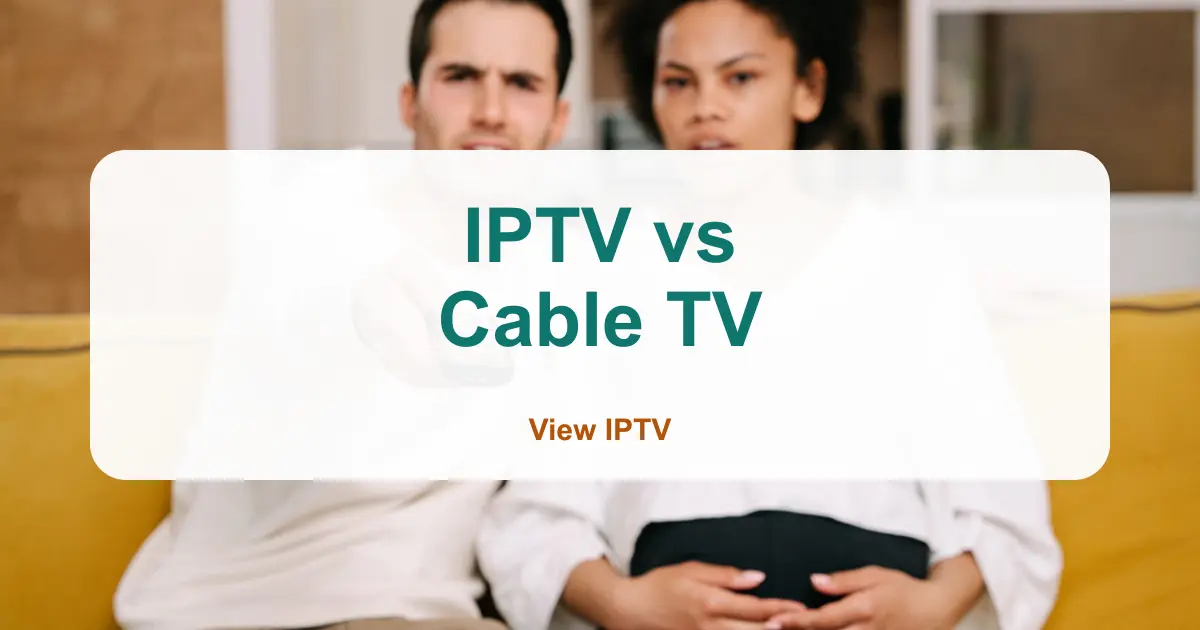
Dinner-table debate: one person swears cable never freezes, the other swears streaming over the internet costs half as much. Both are partly right, which is why the argument never ends.
This IPTV vs cable TV comparison settles it with facts you can check against your own bill. We compare seven things side by side: price, contracts, equipment, extra rooms, portability, reliability and support. Then we show who should pick which.
IPTV vs cable TV: the side-by-side comparison
Cable TV delivers channels through a physical line into your home and a set-top box. IPTV, short for Internet Protocol Television, delivers channels over your internet connection to a smart TV, a streaming stick, a phone or a computer. Same screen, different road. That one difference explains almost everything in the table below.
| Factor | Cable TV | IPTV (View IPTV) |
|---|---|---|
| How it arrives | Company line and set-top box | Your home internet |
| Billing | Monthly bill with fees and taxes | Prepaid plan, 1 to 12 months |
| Contract | Often a 1 or 2 year promo term | No long contract, pick your plan length |
| Equipment | Box or DVR rental for each TV | Smart TV, stick, phone or computer you own |
| Extra rooms | Usually another box and another fee | Add a screen to the plan |
| Watching away from home | Mostly tied to the house | Works anywhere with internet |
| If the internet drops | Cable usually keeps working | Stops until internet returns |
Cost: where the real difference shows up
Cable ads quote a package price, but the bill adds fees, taxes and box rentals. A Consumer Reports study of real bills found company-imposed fees added about 24% on top of the base price. Our breakdown of cable TV cost per month walks through every line.
IPTV is simpler because you pay for the plan and the screens, nothing else. View IPTV prices are fixed on the pricing page: for 1 screen, $12.99 for 1 month and $64.99 for 12 months. Extra screens cost more, but there is no box rental. Here is a yearly comparison against an illustrative cable bill from that post. Your cable total will differ, so swap in your own, and add one-time gear using our first-year cord cutting budget.
| Setup | Per month | Per year |
|---|---|---|
| Cable, 2 TVs (illustrative $132 bill) | $132.00 | $1,584.00 |
| View IPTV, 1 screen | about $5.42 | $64.99 |
| View IPTV, 2 screens | about $8.08 | $96.99 |
| View IPTV, 3 screens | about $10.25 | $122.99 |
Contracts and flexibility
Cable promotions often come with a term, and leaving early can trigger a fee. Our guide to canceling cable without penalty explains how to check yours. IPTV is prepaid, so you choose a 1, 3, 6 or 12 month plan and decide again when it ends. That suits renters, students and anyone who moves often.
Equipment and extra rooms
With cable, each TV usually needs its own box, and each box often has its own monthly rental. With IPTV, a smart TV can run the service directly, and a low-cost stick can turn an older TV into one. Setup guides are on the Smart TV and Fire TV Stick pages. If your house has several TVs, see how to watch TV in multiple rooms without a cable box.
Portability: home, travel and second homes
Cable is tied to the address on your account. IPTV follows your device, so a plan can run on the same stick at a campsite, a relative's house or a vacation rental, as long as there is internet. Our RV checklist covers the travel side.
Reliability: the honest trade-off
This is the one area where cable has a real edge. Cable runs on its own line, so a router problem will not stop it. IPTV depends on your internet, so weak Wi-Fi or a busy network can cause buffering. The FCC's Broadband Speed Guide lists about 5 to 8 Mbps for one HD stream, so add up the screens that run at the same time.
You can reduce the risk. Put the router near the TV, use an Ethernet cable for the main screen if you can, and run the free trial at your busiest viewing hour before you buy.
Support and setup
Cable companies have service vans and local stores, which helps if a line breaks. IPTV support is remote. View IPTV offers help 24/7 through WhatsApp, phone and email, and a 7-day refund if it does not work on your device. See the refund policy for details.
Pros: Cable TV
- Works without home internet.
- A technician can visit if the line fails.
- Familiar box and remote.
Cons
- Fees, taxes and rentals raise the real price.
- Promo terms and early cancellation fees.
- A box and a charge for each extra TV.
- Hard to take with you.
Pros: IPTV
- Prepaid plans with no long contract.
- Runs on devices you may already own.
- Add screens without renting boxes.
- Travels with your device.
Cons
- Needs steady home internet.
- Quality depends on your Wi-Fi.
- Support is remote, not at your door.
Which one should you choose?
| Your situation | Better fit | Why |
|---|---|---|
| Short lease or frequent moves | IPTV | No install and no contract to move |
| Several TVs in the house | IPTV | No box rental for each screen |
| Weak or unreliable internet | Cable | It does not depend on your connection |
| Travel in an RV or two homes | IPTV | Follows your device |
| Want a lower, predictable bill | IPTV | Prepaid, priced up front |
| Fixed home, good internet, low use | Either | Compare your real bill first |
Compare your own numbers
Five-minute comparison checklist
- Add up your last cable bill: package, fees, boxes and taxes.
- Multiply it by 12 for your yearly cost.
- Count the TVs you watch every week.
- Test your internet speed on the TV where you watch most.
- Request a free trial and run it during your busiest hour.
- Check your cable end date before you cancel anything.
If you want more than two options, our cable TV alternatives post compares five. When you are ready to compare offers, how to choose an IPTV service gives you nine questions to ask. When you decide to move, how to switch from cable to IPTV covers the timing.
Conclusion: IPTV vs cable TV in one line
In the IPTV vs cable TV debate, cable wins on independence from your internet, and IPTV wins on price, flexibility, extra rooms and portability. If your internet is steady, IPTV is usually the better value. If it is not, fix that first.
Want to see for yourself? Request a free trial from View IPTV on WhatsApp and run it next to your cable for a week.
Frequently asked questions
Is IPTV cheaper than cable?
Usually yes. Cable bills add fees, taxes and box rentals, while IPTV is a prepaid plan priced per screen. At View IPTV, one screen on the 12-month plan is $64.99, or about $5.42 a month. Compare it with your own bill.
What is the difference between IPTV and cable TV?
Cable TV reaches you through a company line and a rented box. IPTV reaches you over your internet connection and plays on a smart TV, stick, phone or computer.
Do I need internet for IPTV?
Yes. IPTV streams over your home internet, so you need a steady connection. About 5 to 8 Mbps per HD stream is a common guide, and more if several screens run at once.
Can I keep cable while I try IPTV?
Yes. Request a free trial and run both for a week before you cancel. Check your cable end date and any early cancellation fee first.
Share this article
WhatsApp