How to Watch TV in Multiple Rooms Without a Cable Box
By View IPTV Editorial Team · · 6 min read
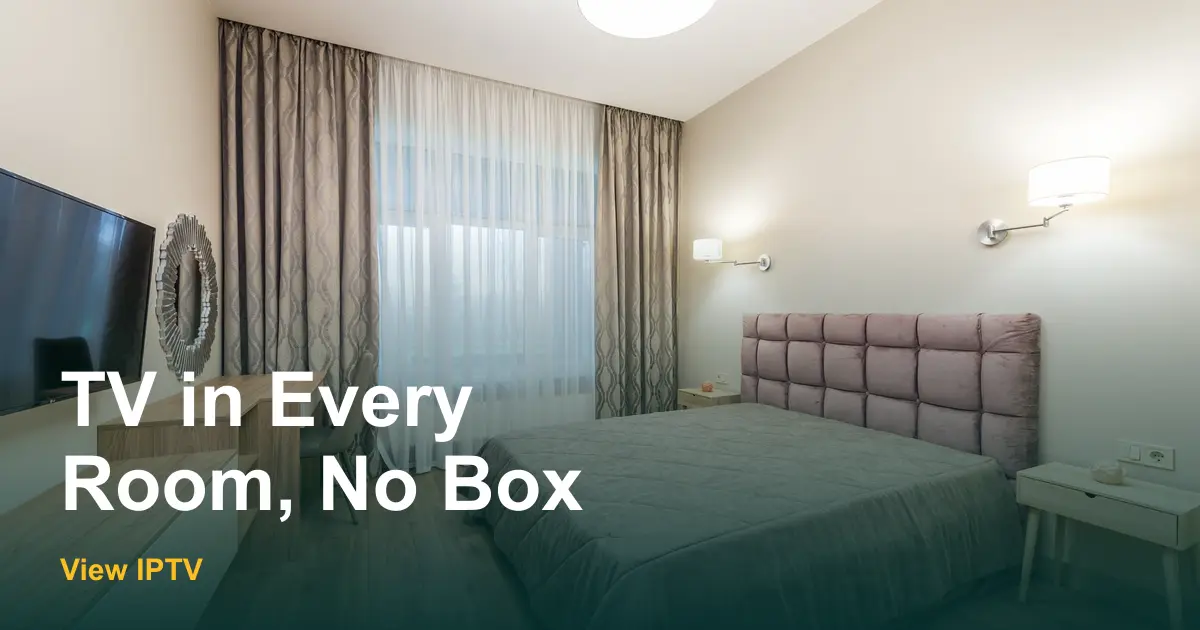
Walk through your house and count the small boxes under each TV. Each one has its own remote, its own power cord and, on many cable bills, its own monthly rental line. Add a splitter or two, and the living room works while the bedroom shows a blank screen.
Here is how to watch TV in multiple rooms without a cable box. The idea is simple: use the Wi-Fi you already have, give each TV one small device and pick a plan with the right number of screens. Follow the six steps below, and each room gets its own picture with no boxes to rent.
Why cable boxes make multi-room TV harder
A cable box sends one signal to the TV it is plugged into. To reach a second room you usually need another box, a coax splitter or a wireless video kit, and each one has a catch. Boxes cost rental fees, splitters weaken the signal and wireless kits repeat the same channel on both screens.
Internet TV works differently. The picture arrives over Wi-Fi, so each TV only needs a way to connect to the network. That makes a second or third room a matter of one small device instead of a technician visit.
| Method | Extra hardware | Same channel on both TVs? | Ongoing cost |
|---|---|---|---|
| Extra cable box | One box per TV | No, each box is separate | Monthly rental fee, often per box |
| Coax splitter | Splitter and cables | Yes, one signal is shared | None, but picture can get weaker |
| Wireless video kit | Transmitter and receiver | Yes, it copies one box | None, but range is limited |
| Internet TV on each screen | Smart TV app or small stick | No, each screen picks its own | A plan with the screens you need |
How to watch TV in multiple rooms without a cable box: 6 steps
- 1
List every TV and what it is
Walk room by room and write down each TV's name and whether it is a smart TV. A smart TV can run the app itself. An older TV with an HDMI port can use a small stick. Our smart TV guide and Fire TV Stick guide cover both kinds.
- 2
Check the Wi-Fi in each room
Stand next to each TV with a phone and run a quick test, or just open a video and see if it plays without stopping. The FCC's Broadband Speed Guide lists about 5 to 8 Mbps for one HD stream, so three rooms at once need roughly three times that. If one room is weak, move the router, plug the TV into the router with a cable or add a Wi-Fi extender.
- 3
Decide how many screens run at once
This number sets your plan. Count the TVs that may be on at the same time, not the TVs you own. A house with a TV in the living room, kitchen and bedroom might only use two at once. Your plan includes the number of simultaneous screens you order.
- 4
Pick the plan and the length
View IPTV plans are prepaid and priced for one screen, with two screens costing 50% more and three costing 90% more. See the table below, or open the pricing page for every combination.
- 5
Set up one room first
Request a free trial on WhatsApp and install it on the TV you watch the most. Check the channel guide, test a few channels and make sure the picture holds for an evening. This is your proof before you change anything else.
- 6
Add the other rooms, then drop the boxes
Repeat the setup on each remaining TV. Run cable and internet TV side by side for a couple of weeks. When every room works, follow our steps to switch from cable to IPTV and return the rented boxes.
What each room costs
One of the best things about this setup is that the price is for screens, not for boxes. Here is what a household pays for two or three screens at once. Longer plans cost less per month.
| Plan | 1 screen | 2 screens | 3 screens |
|---|---|---|---|
| 1 month | $12.99 | $18.99 | $24.99 |
| 3 months | $29.99 | $44.99 | $56.99 |
| 6 months | $49.99 | $74.99 | $94.99 |
| 12 months | $64.99 | $96.99 | $122.99 |
On the 12-month plan, three screens come to about $10.25 a month for the whole house. To see what you pay today, our guide to cable TV cost per month shows how to read each line on your bill, including box rentals.
Room-by-room setup tips
Living room
This is usually your best Wi-Fi spot, so it is the room to test first. A smart TV may need nothing extra. If it does not, a stick behind the screen is enough.
Bedroom
Bedrooms are often far from the router. A short Ethernet cable or a small mesh extender can fix buffering. Sticks that plug into the back of the TV keep the nightstand free of cables.
Kitchen, office or garage
Small second screens are great for news or background TV. A tablet on a stand or an older TV with a stick works well, and our Android device guide shows how to use a tablet. You can also watch on a phone using our iPhone and iPad guide when you are away from a TV.
Room-by-room checklist
Before you return the cable boxes
- Every TV has a smart app or a stick, and each one opens without errors.
- You tested Wi-Fi next to each TV while other rooms were also in use.
- The plan has enough screens for the most TVs you watch at the same time.
- Each room's favorite channels are saved in the guide.
- You know who in the house to ask when a screen goes blank.
- Return dates and fees for each cable box are written down.
Common questions to settle at home
If you share the house with others, ask who watches what and when. The answers set your screen count. For help choosing a plan length, the FAQ page answers the usual questions, and our cord cutting guide explains the full switch. If your household includes a parent who finds new remotes confusing, see our tips on TV for seniors without cable.
Conclusion: TV in every room without the boxes
Knowing how to watch TV in multiple rooms without a cable box comes down to Wi-Fi, one device per TV and the right number of screens. Start with one room, prove it works and then add the rest.
Ready to try it? Request a free trial from View IPTV on WhatsApp and test it on the TV you use most.
Frequently asked questions
Can I watch TV in another room without a cable box?
Yes. With internet TV, each room needs only a smart TV app or a small streaming stick and a Wi-Fi connection. No cable box or coax wiring is needed.
How do I get cable in a room without a box?
A coax splitter can send the same signal to a second TV, but the picture may weaken and both rooms show the same channel. Internet TV avoids this by using Wi-Fi.
How many TVs can I use at once?
It depends on the number of screens in your plan. View IPTV offers 1, 2 or 3 screens, and the plan includes the number of simultaneous screens you order.
Will multiple TVs slow down my Wi-Fi?
They can if your internet plan is small. Each HD stream needs about 5 to 8 Mbps, so add up the TVs you use at once and compare with your plan speed.
Share this article
WhatsApp