How to Keep Local Channels After Cutting Cable
By View IPTV Editorial Team · · 8 min read
A storm warning scrolls across the top of the screen, and you realize you have no idea whether your new setup even shows the local weather station. It is the question that makes many people hold on to a cable plan they no longer want.
Here is the good news. Knowing how to keep local channels after cutting cable takes about an hour and one small purchase. Local stations are broadcast through the air, and your TV can receive them without a cable account. This guide walks you through a simple reception test, the right antenna choice and what to do if some stations will not come in.
How to keep local channels after cutting cable: what is going on
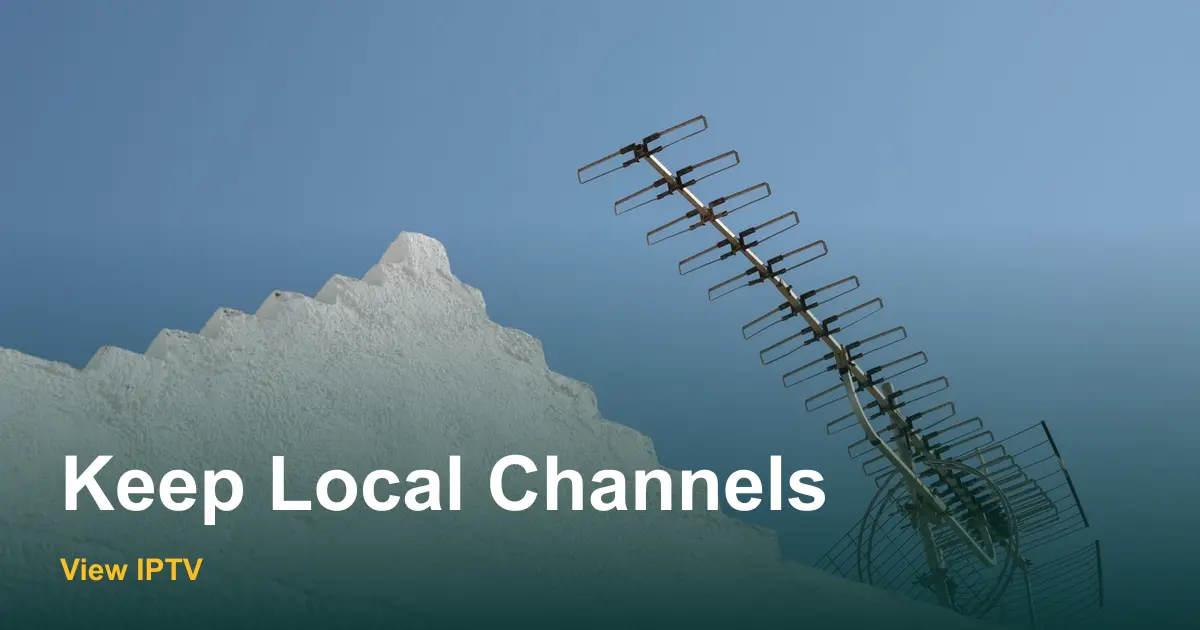
Cable companies charge a line on your bill for a "broadcast TV" fee, and the name makes it sound like the only way to see local news. It is not. Local stations send their signal from a tower, and any modern TV has a built-in tuner that can pick it up. The cable box simply delivers the same stations through a wire.
That means you have two routes to local stations after you leave cable: an antenna on your TV, or an internet TV plan that carries some of them. Most households use the antenna as the base. If you want to see what else is on that cable bill, our breakdown of cable TV cost per month lists the fees line by line.
| Question | Antenna | Internet TV plan |
|---|---|---|
| Monthly fee | None | Depends on the plan |
| Needs internet | No | Yes |
| Picture and sound | Straight from the broadcast signal | Depends on your connection |
| Works during an internet outage | Yes | No |
| Depends on your location | Yes, signal strength varies | Less so, but ask what is offered in your area |
| Setup time | About 30 minutes | About 10 minutes |
Step 1: Run a free reception test
Before you buy anything, find out which stations can reach your home. The FCC publishes a DTV reception map where you enter your address and see the stations nearby, with a rough signal strength for each. It takes two minutes and saves you from buying the wrong antenna.
- 1
Enter your full address
Use the street address, not just the ZIP code. Signal can change a lot from one block to the next.
- 2
Note the strong stations
Write down the ones marked with the best signal and how far away each tower is. These are the stations an antenna will most likely pull in.
- 3
Look at the direction
If most towers sit in the same direction, you can aim one antenna at them. If they are spread around, a small indoor model may be enough, or you may need a different placement.
- 4
Check what is in the way
Hills, tall buildings and thick walls weaken the signal. A first-floor apartment in a dense area needs more care than a house on a rise.
Step 2: Pick the right antenna for your signal
Antenna boxes are covered in numbers and claims, so ignore most of them. What matters is how far the towers are and how many walls stand in the way. Use your reception test results to pick a type.
| Your situation | Antenna type | Where it goes |
|---|---|---|
| Towers close, few obstacles | Flat indoor antenna | On a window |
| Towers medium distance | Larger indoor antenna | Highest window, facing the towers |
| Towers far or hills in the way | Attic or outdoor antenna | High up, aimed at the towers |
| Apartment with no window access | Ask building rules first | Balcony or a shared mount, if allowed |
Pros: Antenna for local channels
- No monthly fee once you own it.
- Does not use your internet or any data.
- Keeps working during an internet outage.
- Takes one cable and a quick scan to set up.
Cons
- Signal depends on where you live.
- You may need to move it or rescan from time to time.
- Each TV needs its own antenna connection unless you split the signal.
- Fewer stations than a cable lineup.
Step 3: Set up and scan
- 1
Connect the antenna
Plug the cable into the antenna input on the back of your TV. It is usually labeled "ANT" or "Antenna In".
- 2
Place it high and near a window
Height helps more than anything else. Tape or hang it on a window facing the towers, away from metal and electronics.
- 3
Switch the TV input to antenna
Choose the "TV" or "Antenna" source instead of HDMI. The label varies by brand.
- 4
Run the channel scan
Open the TV menu and look for "Channel Scan", "Auto Tuning" or "Auto Program". Let it finish. It can take a few minutes.
- 5
Test at different hours
Check each station in the morning and the evening. Weather and nearby electronics can change the picture.
Using more than one TV
One antenna can feed a few TVs through a splitter, but every split weakens the signal. In a small home with strong stations, that is fine. In a larger home or a weak-signal area, it is often easier to use one antenna per room. If you are trying to cover several rooms, our guide to watching TV in multiple rooms without a cable box explains the options.
Renters have a few extra limits, because many leases restrict drilling, roof mounts and balcony hardware. If that is your case, the renter myths and facts post shows what works without leaving marks.
When the antenna is not enough
Some homes simply cannot receive a station. It might be blocked by a hill, or the tower might be far away. In that case, you can fill the gap with an internet TV plan, and the antenna keeps handling the stations that do come in. Before you subscribe, ask the provider whether the local stations you want are included for your area. View IPTV support is on WhatsApp at all hours, and you can ask for a free trial to test your own channels before you pay.
If you go that route, the pricing page shows 1 screen from $12.99 for 1 month, up to $64.99 for 12 months. Setup guides for the Smart TV and the Fire TV Stick take only a few minutes. You can compare it with other choices in our cable TV alternatives guide.
| Problem | Likely cause | Try this |
|---|---|---|
| Picture freezes in blocks | Weak or unstable signal | Move the antenna higher or closer to the window |
| Station missing after a scan | Blocked or far tower | Reposition and rescan |
| Works at night, not in the day | Interference from other devices | Move the antenna away from routers and lamps |
| Signal drops in bad weather | Rain or wind affecting reception | Check the cable connection and the antenna angle |
| Lost stations after a few months | Stations change frequency | Run a fresh channel scan |
Keep your local stations working: a checklist
Local channels checklist
- Enter your address on the FCC reception map and write down the strong stations.
- Choose an antenna type that matches the distance to the towers.
- Place it high, near a window, facing the towers.
- Run the channel scan and check each station at two times of day.
- Rescan after moving the antenna or the TV.
- Keep your cable active until every station you need comes in.
- Plan a rescan every few months, and again after any move.
- Save the support number if you add an internet TV plan.
The FCC also explains how digital broadcast reception works in its guide to antennas and digital television. If you still have questions about trials or devices, the FAQ page has short answers.
Conclusion: local channels do not need a cable bill
Knowing how to keep local channels after cutting cable removes the biggest worry about leaving. Test your signal, pick an antenna that matches it, scan the TV and keep your cable active until you are happy with the result. If the antenna falls short in one spot, an internet TV plan can close the gap. For the full process of leaving cable, follow our seven-step switching guide.
Want to see how a plan works on your TV before you cancel anything? Request a free trial from View IPTV on WhatsApp.
Frequently asked questions
Can I still get local channels without cable?
Yes. Local stations broadcast over the air, so a TV with a built-in tuner and an antenna can receive them with no monthly fee. Some internet TV plans also carry local stations, but coverage varies by area, so ask before you subscribe.
Do I need a special antenna to watch local channels?
Not usually. A basic indoor antenna works in many homes near the towers. If your stations are far away or blocked by hills, a larger indoor, attic or outdoor antenna gives you a better chance of a clear picture.
Why are some local stations missing from my channel scan?
The signal may be too weak at your spot, or something is blocking it. Move the antenna higher or closer to a window, then scan again. Stations can also change frequencies, so a new scan every few months keeps your list current.
Can I watch local news and weather without cable?
Yes. Stations that carry local news and weather are broadcast over the air, and an antenna receives them directly. You do not need a cable subscription for that.
Share this article
WhatsApp